Orders
Order management and claim process stages
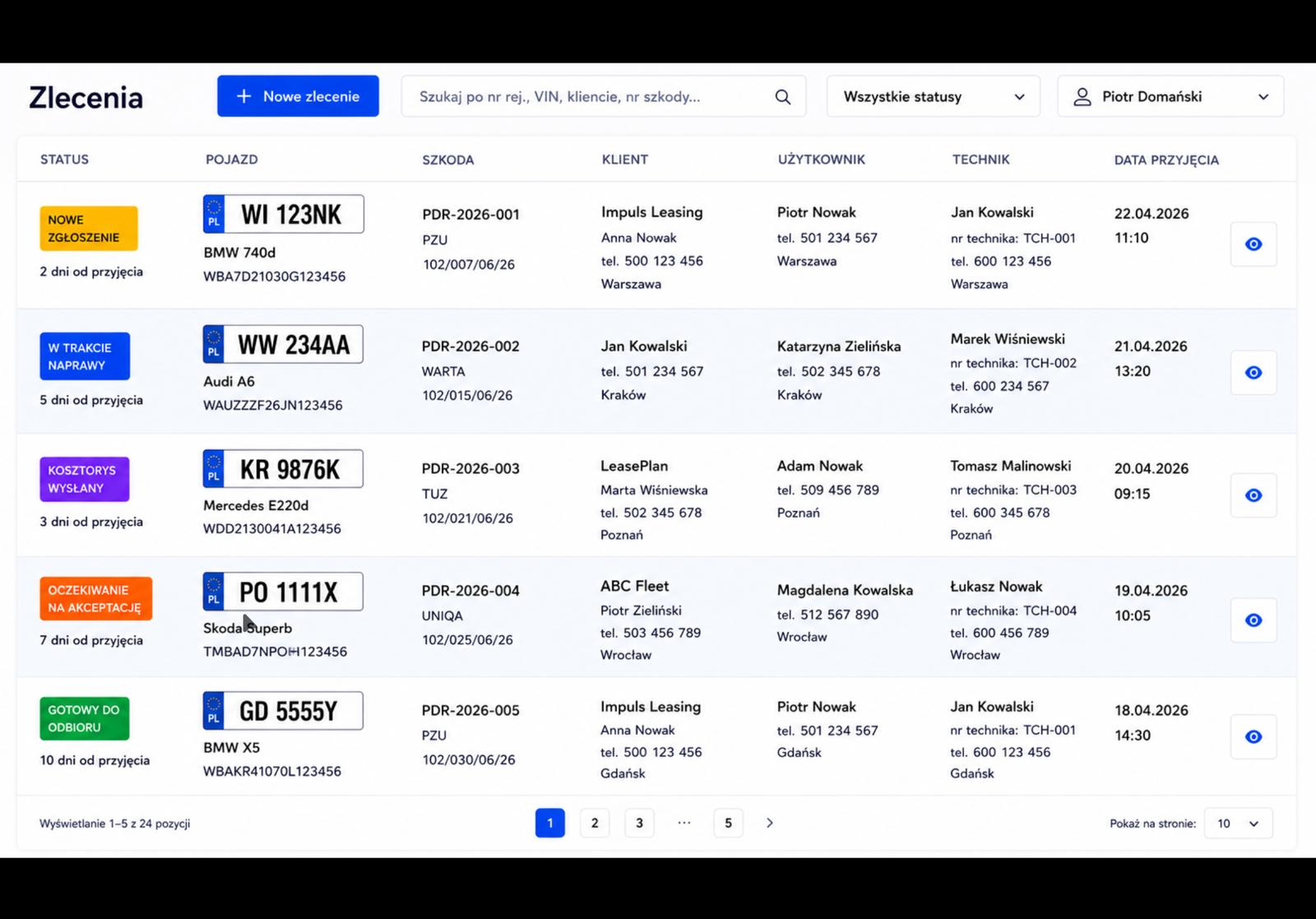
Every claim under control — from a new report to ready for pickup. An order list with clear statuses, search and a process-stage bar.
Every claim under control — from a new report to ready for pickup. An order list with clear statuses, search and a process-stage bar.
The order list shows every assessment with a clear status (draft, sent, accepted, rejected), vehicle, client, technician and repair cost. You search by plate, VIN, client, make and model, and filter by status and process stage.
Every order has a process-stage bar — from intake, through inspection and insurer approval, to repair, quality control and settlement. Stages record the date, user and note, and some update automatically on key actions. The client card gathers their data, vehicles and all assessments in one place.
Draft, sent, accepted, rejected — the status is visible right on the list.
Search by plate, VIN, client, make and model; filter by status and stage.
Consecutive stages from intake to settlement, with date, user and note.
Client data, their vehicles and all assessments in one view.
The view refreshes itself — including document generation status.
Add a vehicle (by VIN) and a client, and the system creates a new order.
Update stages — manually or automatically on key actions.
Filter and search orders by any vehicle or client field.
A versioned document file, photo documentation and email sending.
How it works →Panel-by-panel body assessment on a vehicle map with the estimate calculated live.
How it works →Technical assessment and repair calculation as PDF, with your logo, in PL and EN.
How it works →Create an account and walk the whole path: from inspection, through the estimate, to a finished PDF document.